

- By Admin
- 19 Oct, 2026
Custom CRM Development for Manufacturing Companies: A Complete Guide
1. What Is Custom CRM Development for Manufacturing Companies?
Customer Relationship Management (CRM) software helps businesses manage their interactions with customers and potential customers. It organizes information related to leads, contacts, sales opportunities, quotations, communication, and customer accounts.
For manufacturing companies, CRM requirements can be more specialized than those of a business that sells simple products directly to consumers.
Manufacturers may work with distributors, wholesalers, retailers, industrial buyers, dealers, purchasing departments, and long-term business partners. They may handle bulk orders, customized product specifications, negotiated pricing, repeat purchases, and complex quotation processes.
A standard CRM can support many common sales activities. However, it may not provide every workflow required by a particular manufacturing business.
Custom CRM development involves designing and building a system around those requirements.
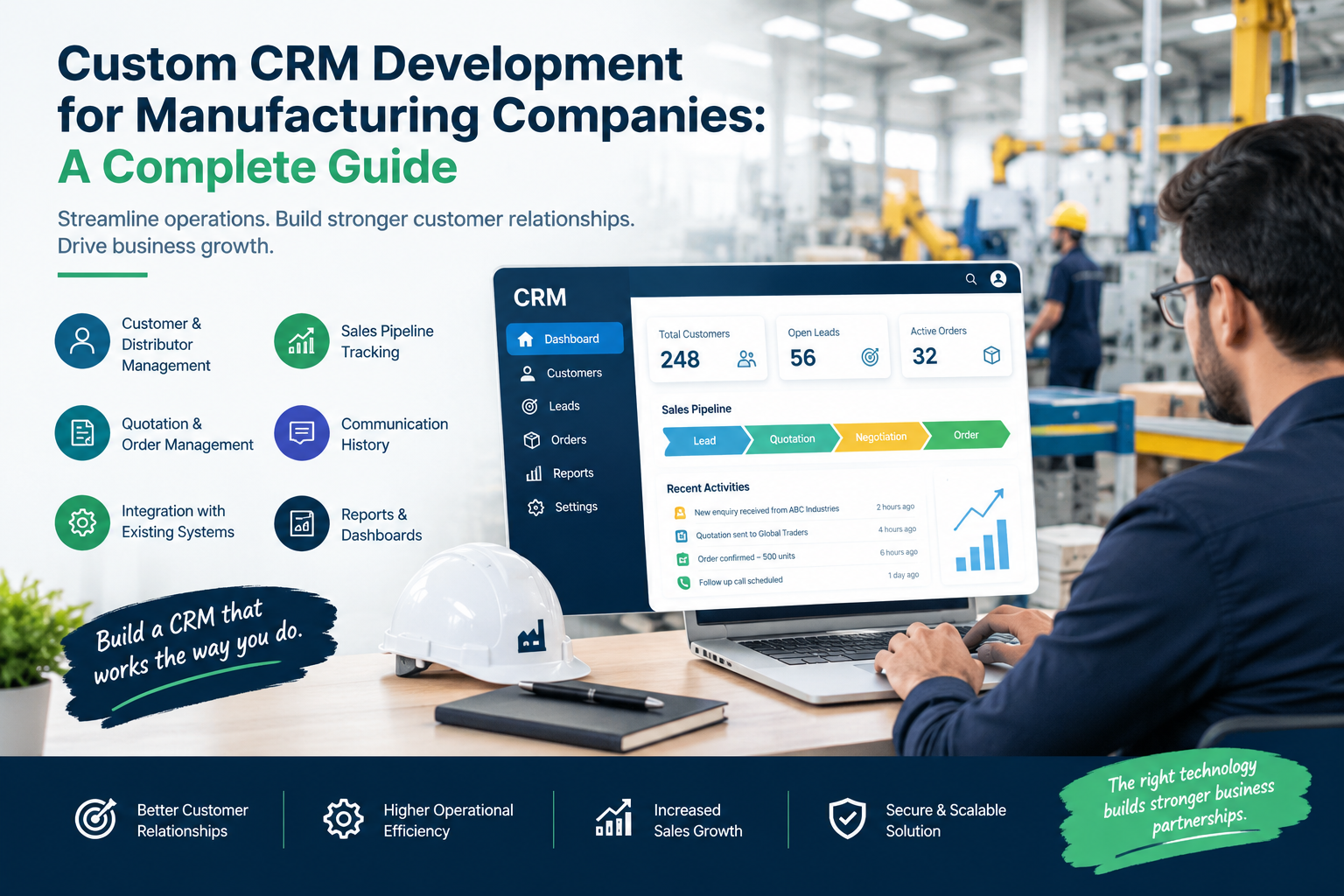
Depending on the company's needs, a manufacturing CRM may include:
Customer and distributor management
Lead and enquiry tracking
Sales pipeline management
Quotation preparation and tracking
Order-related information
Customer communication history
Follow-up reminders and task assignments
Sales reports and dashboards
Role-based user access
Integration with existing business applications
Not every manufacturer needs all these features. The best solution is one that addresses the company's actual operational challenges rather than adding unnecessary complexity.
2. Why Manufacturing Companies Need a CRM System
Manufacturing businesses often manage large numbers of customer relationships across different regions, product categories, and sales channels.
When information is scattered across emails, spreadsheets, individual employees' records, and separate applications, teams may find it difficult to maintain accurate information.
For example, a sales representative may have the latest quotation in an email, while a manager tracks the opportunity in a spreadsheet. Another employee may maintain customer contact details in a separate system.
This fragmentation can create delays, repeated data entry, inconsistent records, and missed follow-ups.
A CRM system provides a centralized place to manage customer-related information.
Centralized Customer Information
A CRM can store customer details, communication records, enquiries, quotations, and sales opportunities in one place.
Authorized employees can access the information they need without searching through multiple sources.
This can be particularly useful when a customer communicates with different members of the sales team.
Improved Sales Visibility
Managers can monitor the progress of leads and opportunities across the sales pipeline.
They can identify pending quotations, opportunities requiring follow-up, and sales activities that need attention.
Better Customer Communication
A CRM helps maintain a history of customer interactions, making it easier for sales representatives to understand previous conversations and respond consistently.
More Organized Processes
By recording activities and assigning responsibilities, the CRM can help establish a more consistent approach to managing enquiries and customer relationships.
3. Understanding the Challenges of Manufacturing Sales
Before building a custom CRM, it is important to understand the challenges it should solve.
Manufacturing sales can involve several steps between an initial enquiry and a confirmed order.
A potential customer may ask for product information, request a quotation, negotiate pricing, discuss specifications, and require revisions before making a purchasing decision.
The process may also involve distributors, sales representatives, managers, and other internal stakeholders.
Common challenges include:
Scattered customer records: Customer information may be stored in multiple spreadsheets, emails, and applications.
Delayed follow-ups: Sales representatives may overlook enquiries or forget to contact customers about pending quotations.
Quotation tracking difficulties: Teams may struggle to identify which quotations are awaiting a response, require revision, or have been accepted.
Limited management visibility: Managers may not have a clear overview of active opportunities and sales activity.
Inconsistent communication: Different employees may have incomplete information about a customer's previous interactions.
Manual reporting: Preparing sales reports manually can take time and may introduce errors.
A custom CRM should be designed around the challenges that have the greatest effect on the business. Identifying these issues early helps prevent the development of features that add cost without solving meaningful problems.
4. Essential Features of a Manufacturing CRM
The required features depend on the manufacturer's size, sales process, and existing systems. However, several capabilities are commonly useful.
4.1 Customer and Account Management
Customer management is the foundation of a CRM.
The system should allow users to create and maintain organized records for customers, prospects, distributors, dealers, and other business accounts.
A customer profile may include:
Company name and contact information
Relevant decision-makers
Account owner or sales representative
Previous communications
Enquiries and quotations
Sales opportunities
Follow-up tasks
Important account notes
Having this information in one location helps sales teams maintain continuity when multiple employees work with the same customer.
It can also reduce repeated data collection and make it easier to review a customer's relationship with the business.
4.2 Lead and Enquiry Management
Manufacturers receive enquiries through different channels, including websites, email, telephone calls, referrals, trade events, and business development activities.
A CRM can record these enquiries and track their progress.
For example, a lead may move through stages such as:
New enquiry
Initial contact
Requirement assessment
Quotation preparation
Negotiation
Order confirmation or closure
The exact stages should match the company's actual sales process.
The CRM can also assign leads to the appropriate sales representative and record the next action required.
This provides a clearer view of the sales pipeline and helps reduce the risk of enquiries being overlooked.
4.3 Sales Pipeline Management
A sales pipeline shows where each opportunity stands in the sales process.
Manufacturing sales teams may have many active opportunities at different stages. Without a structured system, it can be difficult to understand which opportunities are progressing and which need attention.
A CRM dashboard can display opportunity status, expected next steps, assigned representatives, and other relevant information.
Managers can use this visibility to review sales activity, prioritize follow-ups, and identify bottlenecks.
However, pipeline reports are only useful when employees maintain accurate and up-to-date records. The system should make updating opportunities simple enough to become part of the team's normal workflow.
4.4 Quotation Management
Quotation management is especially important for manufacturers that handle bulk orders, negotiated pricing, or customized product requirements.
A customer may request a quotation for a specific quantity, product configuration, delivery arrangement, or commercial agreement.
A CRM can maintain quotation records and track their status.
For example, the system may show whether a quotation is being prepared, has been sent, requires revision, is under negotiation, or has been accepted.
It can also retain a history of quotation-related communication.
Depending on the company's requirements, the CRM may connect with an existing pricing or order management system. This can help avoid unnecessary duplication of product and pricing information.
The scope should be defined carefully: a CRM that tracks quotations does not necessarily need to replace the manufacturer's complete order processing system.
4.5 Customer Communication History
Manufacturing businesses may maintain relationships with customers over many years.
During this time, different employees may communicate with the same account about product requirements, quotations, deliveries, and future business opportunities.
A CRM can provide a shared record of relevant interactions.
Employees can review previous conversations, record meeting notes, and identify outstanding actions.
Where appropriate, email or other communication integrations can make this information easier to maintain.
The aim is to help employees understand the customer relationship without relying entirely on individual inboxes or personal records.
4.6 Task Management and Follow-Up Reminders
Follow-up activities are an important part of sales management.
A sales representative may need to contact a customer after sending a quotation, arrange a meeting, or request additional product information.
A CRM can allow users to create tasks, assign responsibilities, and set reminders.
Managers can also review overdue activities and identify opportunities that may need attention.
These features can help establish a more consistent sales process and reduce dependence on manual reminders.
4.7 Reporting and Analytics
A manufacturing CRM can provide dashboards and reports that help management understand sales activity.
Depending on the available data, reports may include:
New enquiries received
Open sales opportunities
Pending quotations
Conversion rates
Follow-up activity
Sales performance by representative
Opportunity status by region or account type
These reports can help managers identify trends and review the effectiveness of sales processes.
The quality of the reporting depends on the accuracy of the underlying information. Companies should define the metrics they actually need before building complex dashboards.
4.8 Role-Based Access and Security
Different employees need access to different information.
A sales representative may need to manage assigned accounts, while a sales manager may require access to team performance reports.
An administrator may need additional permissions for user management and configuration.
Role-based access allows the company to control which information users can view or modify.
Other important considerations include secure authentication, data backups, appropriate data handling, and a process for managing user access when employees join or leave the organization.
Security requirements should be considered from the beginning rather than added as an afterthought.
5. Advanced CRM Capabilities for Manufacturing Businesses
Once the core CRM processes are working effectively, a company may consider additional features.
These capabilities should be introduced when they solve a clear business problem.
Distributor and Dealer Management
Manufacturers that sell through channel partners may need dedicated records for distributors, dealers, and other intermediaries.
A CRM can organize account ownership, contact information, sales activities, and partner communication.
It may also support territory assignments and partner-specific reporting when required.
Product and Pricing Information
Some manufacturing businesses handle large product catalogues, negotiated pricing, or customer-specific commercial terms.
The CRM may need to display relevant product information or connect to an existing product and pricing system.
Before implementing this feature, the business should decide which application will act as the primary source of product and pricing data.
Multi-Location Sales Management
Manufacturers operating across multiple regions may need to organize customer accounts, sales representatives, and opportunities by territory.
A CRM can support this structure through account assignments, filters, and reporting.
ERP Integration
Enterprise Resource Planning (ERP) systems often manage business functions such as inventory, purchasing, finance, and order processing.
A CRM may need to exchange information with the ERP to provide sales teams with relevant customer or order information.
The exact integration depends on the existing ERP, available interfaces, data structure, and business requirements.
A clear integration plan can help avoid duplicated records and inconsistent information.
Inventory or Order System Integration
Some sales teams need visibility into product availability or order status while communicating with customers.
Where appropriate, the CRM can connect to an existing inventory or order management system.
However, manufacturers should avoid rebuilding inventory or production functionality inside the CRM unless there is a clear reason to do so.
A focused CRM with well-planned integrations can be easier to maintain than a system that tries to manage every business function independently.
6. Custom CRM vs. Off-the-Shelf CRM
Manufacturers should evaluate existing CRM software before deciding to build a custom solution.
Ready-made software may provide many standard capabilities and can be suitable for companies whose sales processes fit the available functionality.
Custom development may be more appropriate when the company's workflows are specialized, important integrations are missing, or the business needs greater control over its software.
| Factor | Off-the-Shelf CRM | Custom CRM |
|---|---|---|
| Initial setup | Often quicker | Requires requirements and development planning |
| Features | Standardized capabilities | Designed around specific workflows |
| Customization | Depends on platform limitations | Can be tailored to business needs |
| Integrations | Depends on available connectors and APIs | Can be planned around required systems |
| Cost structure | Subscription or licensing costs may apply | Development and ongoing maintenance costs |
| Ownership and control | Depends on vendor terms | Depends on the development and licensing agreement |
| Maintenance | Vendor manages parts of the platform | Business must plan for maintenance and support |
Neither option is automatically better.
A company should compare the total cost, implementation time, required functionality, integration needs, security requirements, and future maintenance responsibilities.
A hybrid approach may also be possible: use an existing CRM and develop selected integrations or custom modules to address specific gaps.
7. How to Develop a Custom CRM for Manufacturing
A successful CRM project begins with understanding business requirements.
The following steps provide a practical implementation approach.
Step 1: Assess Existing Processes
Document how the company currently manages enquiries, customers, quotations, and sales opportunities.
Speak with sales representatives, managers, and other employees who will use the system.
Identify delays, repeated tasks, data quality problems, and reporting gaps.
Step 2: Define Project Goals
Set clear objectives for the CRM project.
For example, the business may want to centralize customer records, improve follow-up visibility, reduce manual reporting, or organize quotation tracking.
Clear goals help determine which features are essential and which can be considered later.
Step 3: Prioritize Features
Divide requirements into essential features and future enhancements.
An initial release may focus on customer management, lead tracking, the sales pipeline, follow-up tasks, and basic reporting.
More advanced features can be added after the business evaluates the initial system.
This approach can help keep the project manageable.
Step 4: Plan the Data Structure
Determine what information the CRM needs to store and how different records relate to each other.
For example, a customer may have several contacts, enquiries, quotations, and opportunities.
The system should organize these relationships clearly to support accurate reporting and efficient retrieval.
Step 5: Plan Integrations
Identify the systems that need to exchange information with the CRM.
These may include ERP, accounting, inventory, email, or order management software.
Confirm which application is responsible for each type of data and how updates should be handled.
Integration requirements should be assessed early because they can affect project complexity, cost, and delivery schedules.
Step 6: Design the User Experience
The CRM should be easy for employees to use during everyday work.
Common actions, such as updating a lead, reviewing a customer record, or scheduling a follow-up, should be straightforward.
Involve actual users when reviewing the design. Their feedback can help identify confusing workflows before the software is fully developed.
Step 7: Develop and Test
Build the system according to the agreed scope.
Testing should cover the main workflows, user permissions, data accuracy, integrations, performance, and security requirements.
The business should also verify that important reports produce the expected results.
Step 8: Migrate Existing Data
If the company has customer records in spreadsheets or older applications, the data may need to be transferred into the CRM.
Before migration, review records for duplicates, missing fields, and outdated information.
Test the migration and verify the results before switching to the new system.
Step 9: Train Employees
Provide appropriate training and explain how the CRM fits into existing sales processes.
Users should understand which information they are expected to maintain and how the system helps them complete their work.
Clear guidance can improve adoption and data quality.
Step 10: Monitor and Improve
After launch, collect feedback and review whether the system is meeting its objectives.
Identify issues, prioritize improvements, and maintain a plan for software updates and ongoing support.
CRM development should be treated as an evolving business system rather than a one-time software installation.
8. Common Challenges in CRM Development
Custom CRM projects can face challenges when requirements, data, and responsibilities are not clearly defined.
Unclear Requirements
Different departments may expect the CRM to solve different problems.
To address this, document the main workflows and agree on the initial project scope before development begins.
Poor Data Quality
Duplicate or outdated customer records can reduce the usefulness of the CRM.
Clean and validate existing data before migration, and establish guidelines for maintaining accurate records.
Integration Complexity
Connecting the CRM with existing applications may require additional development and testing.
Evaluate integration requirements early and clarify which system is the source of truth for each type of information.
Low User Adoption
Employees may avoid a system that adds unnecessary steps or is difficult to use.
Involve users during planning, provide training, and simplify common tasks wherever possible.
Security and Access Control
Customer and commercial data should be protected through appropriate permissions, secure authentication, backups, and responsible data management.
Scope Expansion
Adding too many features during development can increase costs and delay delivery.
Prioritize the essential requirements and introduce further capabilities when the business has a clear need for them.
9. How to Measure CRM Success
A CRM should deliver measurable business value.
Before implementation, manufacturers should decide how they will evaluate the system.
Possible measures include:
Lead response time: How quickly does the sales team respond to new enquiries?
Follow-up completion: Are sales representatives completing planned follow-ups?
Quotation visibility: Can managers easily identify quotations that need attention?
Data completeness: Are customer records accurate and sufficiently detailed?
Sales pipeline visibility: Can management understand the status of active opportunities?
User adoption: Are employees using the CRM consistently?
Reporting effort: Has the time required to prepare routine reports changed?
The most useful measures depend on the original business challenges.
Companies should compare results against a baseline and avoid assuming that software alone will improve sales performance. Training, management practices, data quality, and the wider sales process also influence outcomes.
10. How Webwiders Can Support CRM Development Requirements
Manufacturers planning a custom CRM may need additional development resources to build a new system, support an internal development team, or implement future enhancements.
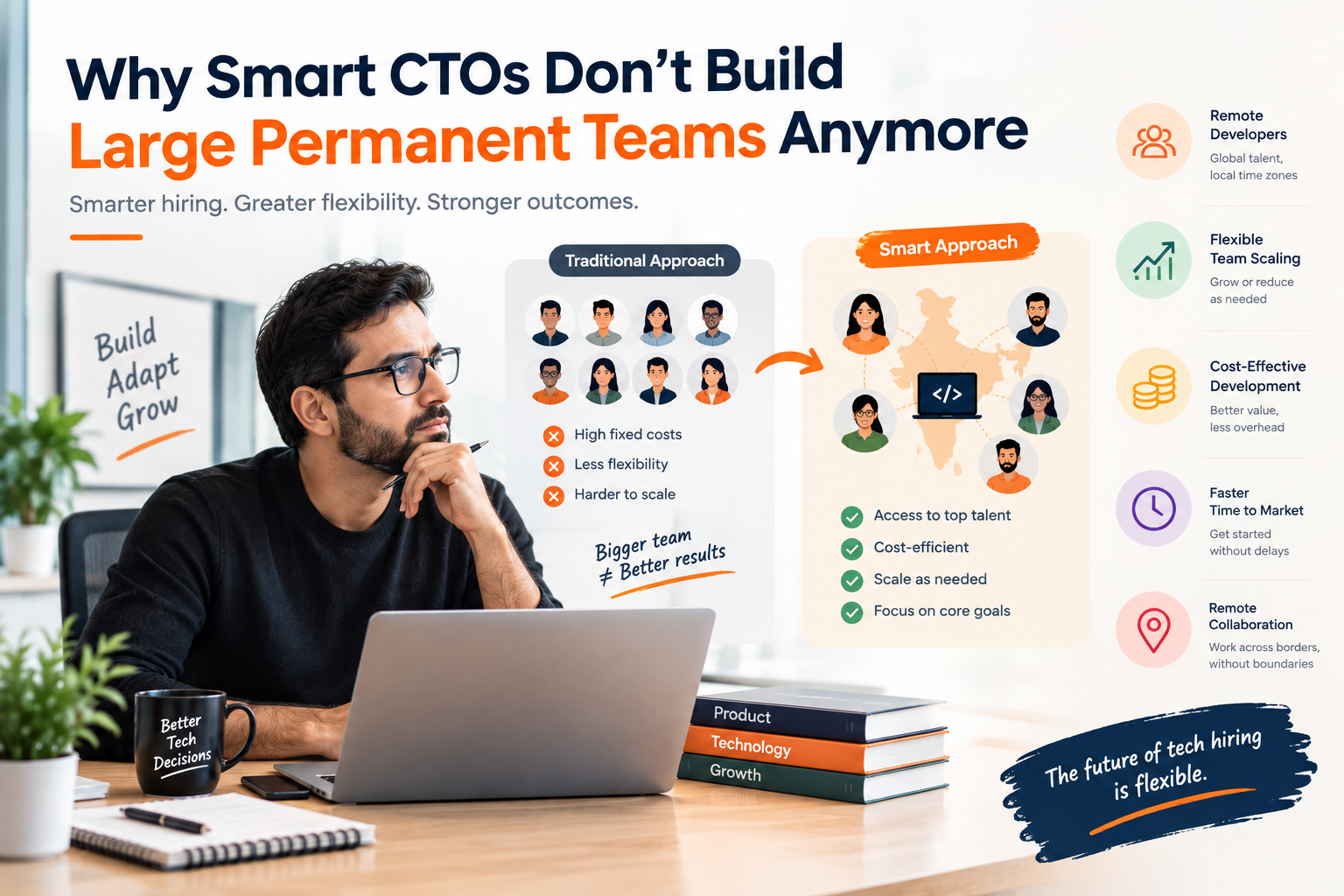
Webwiders offers remote contract-based development and IT staff augmentation options for businesses that need flexible development support.
Companies can hire a remote developer or a team according to their project requirements.
Full-Time Staff Augmentation
Businesses can engage remote developers for 40 hours per week for three or more months, on a remote contract basis.
This option may suit projects that require consistent development support over an extended period.
Dedicated Development Teams
Companies with larger development requirements can engage a dedicated team of IT experts.
This model is available with at least two or more developers, with 40 hours per week per developer.
A dedicated team may be considered when a project needs several developers working toward shared objectives.
Part-Time Development Support
Businesses that do not need full-time support can choose part-time development assistance, starting at a minimum of 10 hours per week through a pay-as-you-go model.
This may be suitable for limited development requirements or smaller workloads.
These options allow companies to choose an engagement structure based on project scope, required hours, and development capacity.
When planning a CRM project, the business should first define the required features, integrations, responsibilities, and expected outcomes. The appropriate team size and engagement model can then be selected according to those requirements.
11. How to Choose the Right CRM Development Partner
Selecting a suitable development partner is an important part of a custom CRM project.
Businesses should evaluate potential partners based on their ability to understand requirements, communicate clearly, and deliver software that meets the agreed scope.
Consider the following factors.
Requirement Understanding
The development partner should understand the company's customer management and sales workflows before recommending a solution.
Project Planning
The proposed scope should explain the main features, integrations, responsibilities, and expected deliverables.
Communication
Agree on communication channels, reporting frequency, review meetings, and a process for raising issues.
Testing and Quality Assurance
Confirm how workflows, permissions, integrations, and data accuracy will be tested.
Security and Data Handling
Discuss access controls, backups, data migration, and the handling of sensitive business information.
Maintenance and Support
Clarify who will handle future updates, bug fixes, and enhancements after launch.
Source Code and Ownership
Make sure the contract clearly defines source code ownership, intellectual property rights, access to repositories, and responsibility for third-party software or services.
A clear agreement helps establish expectations and reduces misunderstandings during and after development.
12. The Future of CRM for Manufacturing Companies
Manufacturing businesses continue to look for better ways to organize customer information, improve sales visibility, and coordinate business processes.
CRM systems can support these goals by centralizing customer records and making sales activities easier to track.
As requirements evolve, manufacturers may also explore more advanced reporting, additional integrations, and workflow automation where these capabilities provide clear value.
However, successful CRM adoption will continue to depend on the basics: accurate data, clear processes, practical features, appropriate security, and consistent employee use.
Companies should focus on building a system that solves their current problems while allowing room for future improvements.
Conclusion
Custom CRM development for manufacturing companies can help organize customer information, improve lead and quotation tracking, strengthen communication, and provide clearer visibility into sales activities. The right solution begins with a clear understanding of existing business processes and should include only the features and integrations that support meaningful objectives. Manufacturers should also plan for data migration, user adoption, security, testing, and ongoing maintenance. By choosing an appropriate development approach and reviewing performance after launch, businesses can build a CRM that supports their sales operations as they grow. When additional development capacity is needed, on demand hire provides a flexible way to access remote developers or teams based on project requirements.
Frequently Asked Questions
1. What is custom CRM development for manufacturing companies?
Custom CRM development involves creating customer relationship management software tailored to a manufacturer's sales processes, customer records, quotation workflows, communication needs, and reporting requirements.
2. What features should a manufacturing CRM include?
Common features include customer and distributor management, lead tracking, sales pipeline monitoring, quotation management, follow-up reminders, reporting dashboards, role-based access, and integrations with relevant business systems.
3. Is a custom CRM better than off-the-shelf software?
It depends on the company's requirements. Off-the-shelf CRM software may be suitable when standard features meet business needs. Custom development may be more appropriate when the company requires specialized workflows, specific integrations, or greater control over functionality.
4. Can a manufacturing CRM integrate with ERP software?
Yes, a CRM may integrate with an existing ERP system if suitable interfaces or integration methods are available. The required data, integration complexity, security, and system responsibilities should be assessed during project planning.
5. How can on demand hire support a custom CRM project?
On demand hire allows businesses to engage remote developers or development teams according to their current requirements. It can provide additional development capacity for CRM implementation, integrations, improvements, or ongoing support without requiring every resource to become a permanent employee.